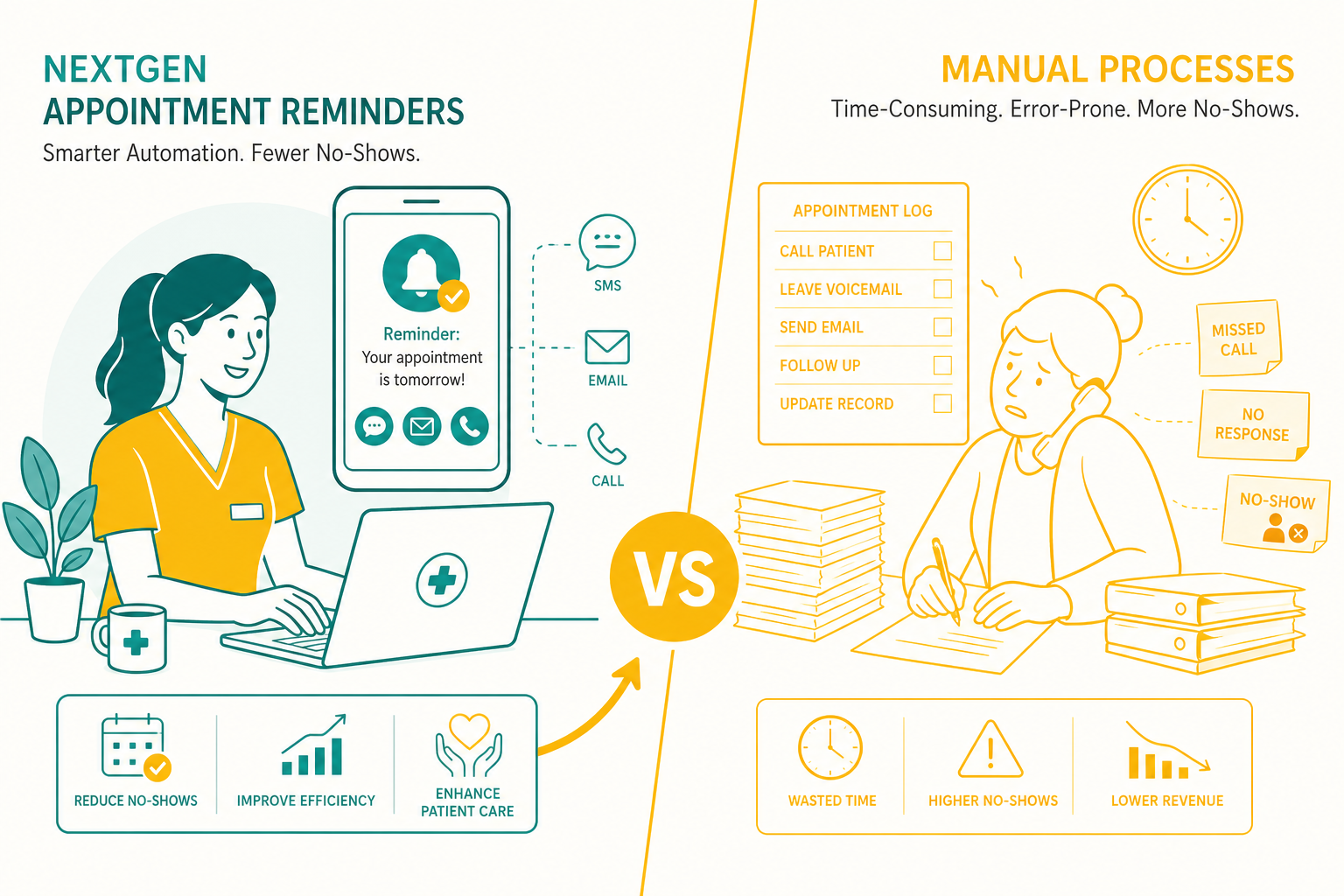
NextGen Appointment Reminders vs Manual Processes: How Medical Practices Can Reduce No-Shows and Improve Efficiency
For a medical practice owner, missed appointments create more than a scheduling inconvenience. They represent unused provider time, staff scrambling to fill openings, delayed care, and revenue that cannot be recovered once the appointment slot passes. nextgen appointment reminders give practices a more dependable alternative to calling every patient manually or hoping patients remember an appointment made weeks ago. They create a repeatable patient communication process that is easier to manage as appointment volume grows.
NextGen Appointment Reminders Reduce Dependence on Manual Calling
Manual appointment outreach often starts with good intentions. A front-desk team receives the next day's schedule, prints a call list, and begins working through patient names. But the process quickly encounters predictable obstacles: unanswered calls, outdated phone numbers, voicemail limitations, language needs, busy periods at the front desk, and patients who cannot call back during office hours.
Even highly capable staff members cannot consistently complete manual reminder work when check-in lines form, insurance questions arise, providers run behind, or same-day scheduling changes occur. The work competes with every other urgent responsibility in the office.
nextgen appointment reminders shift routine outreach from a staff task to a defined system process. Automated reminders can notify patients before their visits through the communication methods a practice supports, while confirmations and responses can be routed into an organized workflow. The practice can establish a consistent cadence for the full schedule instead of asking staff to remember every call, document every outcome, and repeatedly follow up with unreachable patients.
Manual outreach creates uneven coverage
In a manual system, reminder completion often depends on staffing levels. A fully staffed office may make most calls one week, while a sick day, vacation, staffing vacancy, or high call volume can leave many appointments unconfirmed the next. That inconsistency makes it difficult for an administrator to know whether no-show performance is affected by patient behavior or an incomplete outreach process.
With nextgen appointment reminders, the reminder process can continue while the front desk handles competing priorities. Staff still play a central role in patient service, particularly when patients need help, have questions, or need to reschedule. Staff can focus on exceptions and patient needs rather than repetitive dialing.
Confirmation data gives teams a better starting point
When a patient confirms, cancels, or requests a change, the office has information it can act on. Confirmed appointments provide greater confidence in the daily schedule. Cancellations identified in advance can create opportunities to contact patients on a waitlist or offer the time to another patient. Unresponsive patients can be prioritized for more personal follow-up when appropriate.
A practice needs visibility into what happened, not proof that someone attempted outreach.
NextGen Appointment Reminders Address the Real Cost of No-Shows
The visible cost of a no-show is an empty appointment slot. The hidden cost is larger. The practice has already reserved clinical time, prepared staff capacity, allocated room availability, and often completed scheduling and eligibility-related work. If the missed appointment cannot be filled, those resources have been committed without producing a completed visit.
Practices should also account for the administrative cost of chasing patients after missed appointments. Staff may need to document the no-show, contact the patient, reschedule the visit, handle policy questions, and update the schedule again. For recurring appointments, a missed visit can also interrupt treatment plans and create more scheduling complexity later.
nextgen appointment reminders cannot force every patient to attend. Transportation problems, illness, work conflicts, and family obligations still happen. But timely communication gives patients a practical opportunity to confirm, cancel, or reschedule before the appointment becomes a preventable loss. A cancellation received with enough notice may be recoverable. A no-show usually is not.
Measure recovered capacity, not just message volume
It is easy to report the number of reminders sent. That number alone does not show return on investment. Practice administrators should evaluate whether the process improves confirmation rates, reduces preventable no-shows, surfaces cancellations earlier, and reduces the staff hours spent on repetitive outreach.
The strongest operational result is a more predictable schedule. Providers and staff can prepare for patients who are more likely to arrive, while openings can be identified early enough to support schedule recovery.
Implementation reality: reminder automation works best when appointment data, patient contact preferences, message timing, and escalation rules are reviewed before launch. Production workflows are rarely as simple as sending one generic message to every patient. Practices may need different timing for new-patient visits, procedures, recurring care, specialty appointments, or appointments with preparation instructions. They also need a clear owner for exceptions, such as patients who respond with a question or request a scheduling change. Automation reduces repetitive work, but accountable office processes remain necessary.
Manual Processes Hide Labor Costs That Automated Workflows Make Visible
A practice may view manual reminders as "free" because current employees make the calls. In reality, the practice is paying for that work through labor time, interruptions, overtime pressure, and reduced capacity for tasks that require a person's judgment.
Consider the steps involved in one unsuccessful reminder call: locate the account, verify the number, dial, wait, leave a voicemail if possible, document the attempt, and determine whether a follow-up is needed. Multiply that by dozens or hundreds of appointments each week. The cost includes the minutes spent on the phone and the context switching that slows check-in, referral coordination, billing inquiries, and patient problem resolution.
nextgen appointment reminders make it possible to reserve human attention for situations where it has the most value. A staff member can focus on a patient with an unusual scheduling need, a clinical preparation concern, or a cancellation that requires quick action. That is a better use of trained personnel than repeatedly dialing numbers that lead to voicemail.
Consistency protects the patient experience
Patients do not experience a practice as a collection of separate departments. They experience whether communication is clear, timely, and responsive. When reminders are inconsistent, patients may feel surprised by appointments, uncertain about preparation instructions, or frustrated when they cannot easily indicate a conflict.
A reliable reminder workflow helps establish clear expectations before the visit. It also gives administrative teams a more orderly way to manage responses rather than discovering scheduling issues only after a patient fails to arrive.
Choosing an Automated Reminder Process Requires More Than a Message Tool
For a practice using NextGen workflows, appointment reminders should fit into the broader operating environment rather than create another disconnected list for staff to maintain. The value of automation depends on accurate scheduling data, practical response handling, and reporting that helps leaders understand outcomes.
DoctorConnect is a full patient engagement platform serving healthcare organizations since 2009. Our platform supports more than 150 EHR and practice management integrations and is used by more than 500 active medical practices. We are HIPAA compliant, sign a BAA with every practice, and operate on Microsoft Azure's SOC 2 Type II infrastructure.
Patient communication is not an isolated administrative task. Appointment outreach touches scheduling, patient records, privacy obligations, staff workflows, and the financial performance of the practice. A platform should support the operational process around the reminder and deliver the message.
Start with the workflow questions that affect ROI
- Which appointment types have the highest no-show or late-cancellation rates?
- How far in advance does the practice need notice to refill an opening?
- Which patient responses require staff follow-up, and who owns that work?
- How are contact preferences and patient communication details maintained?
- What metrics will demonstrate reduced labor and better schedule utilization?
Answers to these questions help a practice configure reminders around its actual operating conditions. They also prevent a common mistake: adopting automation while leaving the underlying response process undefined.
A More Predictable Schedule Starts With a Repeatable Process
Manual reminders can work for a small number of appointments on a quiet day. Most growing medical practices do not operate under those conditions. They need a process that continues when staff are busy, captures patient responses early, and gives administrators a clearer view of schedule risk. Automated appointment reminders direct staff effort toward the conversations and scheduling decisions that require it. For practice owners focused on margin, capacity, and patient access, reducing avoidable no-shows is an operational priority worth measuring.
We've refined appointment reminder processes across 500+ practices since 2009. Get in touch to see what version would fit yours.