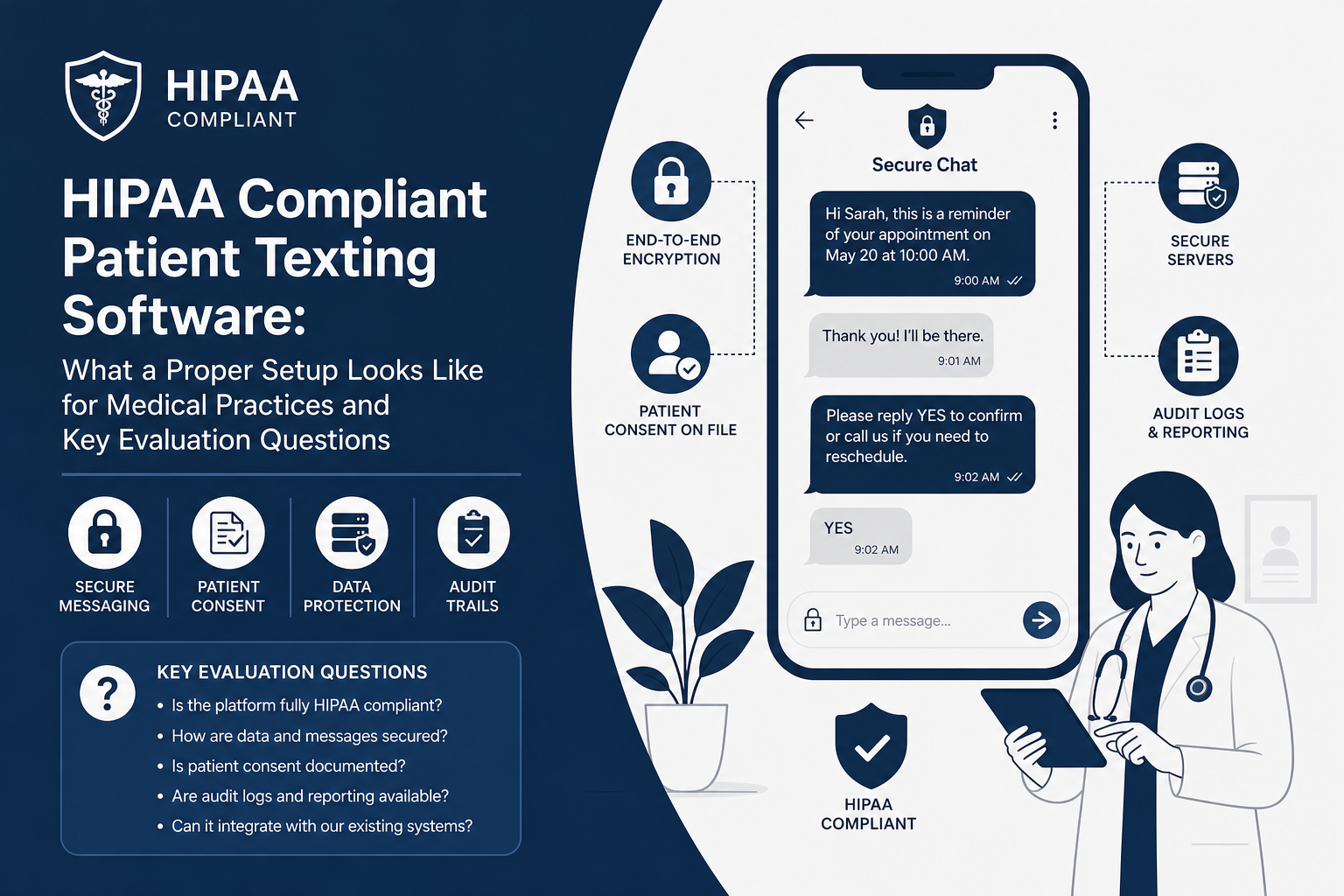
HIPAA Compliant Patient Texting Software: What a Proper Setup Looks Like for Medical Practices and Key Evaluation Questions
For a primary care practice, patient texting can improve appointment readiness, reduce avoidable phone traffic, and give front-desk staff a faster way to resolve routine questions. But speed is not the same as compliance. HIPAA compliant patient texting software must be configured around the practice's actual workflows, its patient population, and the information being exchanged. A generic messaging tool, a signed agreement, or a reminder template alone does not create a compliant process. The proper setup combines vendor safeguards, documented policies, patient communication preferences, staff permissions, and an implementation plan that accounts for the EHR or practice management system from day one.
HIPAA Compliant Patient Texting Software Must Be Designed Around Message Content
The first operational decision is deciding what kinds of information the practice will permit in text messages. A well-configured HIPAA compliant patient texting software program distinguishes between low-risk operational communication and messages that require additional protection.
For example, an appointment reminder may need only the patient's first name, the office name, a date and time, and a phone number for rescheduling. A message discussing a diagnosis, test result, medication change, referral reason, or care-plan detail carries more risk. The practice should not leave that distinction to individual staff judgment in a busy workday.
Build a message-use policy before activating templates
A written text-message policy should define approved message categories, restricted content, escalation paths, and the staff members authorized to send or respond to messages. In a primary care setting, common approved categories may include:
- Appointment reminders and confirmation requests
- Instructions to complete pre-visit forms
- Requests to call the office about a scheduling or billing matter
- Notification that a patient portal message or secure communication is available
- Post-visit outreach that directs a patient to an appropriate protected channel
The policy should also state what texting is not for: emergency assessment, urgent triage without clinical review, unmonitored after-hours care, or sending detailed protected health information through an uncontrolled channel. Patients need clear instructions for urgent symptoms and emergencies. A text platform cannot substitute for an established clinical triage process.
Configure HIPAA compliant patient texting software to minimize exposure
Message minimization is a practical safeguard. The text should contain only the information needed for the patient to take the next step. If detailed information must be shared, the workflow should direct the patient into an authenticated, protected experience rather than placing the detail directly in an ordinary SMS message.
The platform should support approved templates, controlled personalization fields, role-based access, and a record of what was sent. Staff should not be copying clinical notes into a free-form text box or using personal phones because the approved workflow is inconvenient. If the compliant route takes longer than an improvised route, adoption will fail under real front-desk pressure.
Patient Consent, Preferences, and Documentation Are Operating Requirements
HIPAA compliant patient texting software requires more than vendor selection. The practice must establish a defensible process for collecting mobile numbers, recording communication preferences, honoring opt-out requests, and documenting patient choices in the appropriate system of record.
HIPAA permits certain healthcare communications, but practices also need to consider applicable texting, telephone consumer-protection, state privacy, and payer requirements. The exact consent language and campaign design should be reviewed with qualified legal counsel, particularly when communications include marketing, promotional messages, or outreach that extends beyond treatment and routine operations.
Capture preferences at a reliable point in the patient journey
For most practices, registration and annual demographic verification are the best places to confirm a patient's mobile number and communication preferences. The process should answer basic operational questions:
- Is this number a mobile number, and is it still current?
- May the practice send appointment-related messages?
- May the practice use text messages for nonclinical administrative follow-up?
- What language preference should templates use?
- Has the patient requested to opt out of particular message types?
- Is there a proxy, caregiver, or alternate contact with separate authorization requirements?
Those answers cannot live only on a paper intake form or in a staff member's memory. They need to be available to the people and systems sending messages. When a patient opts out, the change should take effect across the relevant workflow quickly enough to prevent the next scheduled campaign from sending an unwanted text.
Separate operational outreach from marketing outreach
Practices often begin with reminders and then expand to annual wellness visit outreach, preventive-care gaps, recall campaigns, or patient satisfaction requests. Each new use case should be reviewed before it is added. A preventive screening reminder may be clinically valuable, but its audience selection, message language, consent basis, and opt-out handling should be deliberate.
This review becomes especially important when a practice uses text messaging to fill cancellations or contact a large list of patients. Outreach should be repeatable, documented, and appropriate for the message category.
Implementation reality. The most common early failure is not a dramatic security incident. It is stale patient data. A reminder goes to a reassigned number, a parent receives a message after a dependent becomes an adult, or an opt-out exists in one system but not another. Before launch, practices should identify the source of truth for patient demographics and preferences, define who corrects discrepancies, and test the process using realistic records. This work usually determines whether texting reduces calls or creates more follow-up work for the front desk.
Integration and Workflow Determine Whether Texting Improves Patient Throughput
A platform can have appropriate safeguards and still create operational friction if staff must manually export appointment lists, retype phone numbers, or reconcile patient responses in several places. HIPAA compliant patient texting software should reduce preventable administrative work while preserving an accountable patient communication record.
For appointment workflows, the most useful configuration begins with defined triggers. A practice should decide when reminders are sent, when confirmation responses are checked, how cancellations are routed, and who owns the follow-up queue. A reminder that receives a "CANCEL" response but remains unnoticed until the morning of the visit does not help throughput.
Map the workflow from scheduling event to staff action
Before implementation, map each high-volume use case in plain language. For appointment reminders, the map should include:
- The scheduling event that triggers the message
- The timing of the first and any follow-up reminder
- The exact patient response options
- Where a confirmation, cancellation, or question appears for staff review
- Who is responsible for acting on that response
- What happens when the patient does not respond
- How the communication is retained or documented
A primary care practice may need different workflows for annual physicals, chronic-care follow-up, new-patient visits, referrals, laboratory scheduling, and procedures requiring preparation. Treating every appointment type the same can produce confusing messages and unnecessary inbound calls.
DoctorConnect has served healthcare practices since 2009 and supports more than 150 EHR and practice management integrations. That experience reinforces a consistent implementation principle. Integration should be evaluated against the practice's workflow. The questions are whether the right patient data is available, whether the correct appointment types can be targeted, how updates are handled, and what staff must do when data does not match.
Plan for exception handling
Practices should test the cases that create operational strain: a patient replies with a clinical question, an appointment is moved after the reminder is queued, a number is invalid, a caregiver responds, or a message arrives outside office hours. The texting workflow needs routing rules for each situation.
For clinical questions, the process should identify who monitors the queue, when a message becomes a phone call or portal communication, and how the response is documented. For cancellations, the process should identify whether the opening is released automatically or reviewed by a scheduler. These details protect staff capacity and keep patient expectations realistic.
Key Vendor Questions for HIPAA Compliant Patient Texting Software
Vendor demonstrations often focus on message appearance and campaign setup. Those are useful, but they do not answer the questions that determine whether the service can operate responsibly in a medical environment. Practices should request direct, specific answers in writing and involve operations, compliance, IT, and front-desk leadership in the review.
Ask security and contractual questions first
- Will the vendor sign a business associate agreement with the practice?
- Where is PHI hosted, and what protections apply to that environment?
- Which users can access patient communications, and can permissions be limited by role?
- Are user actions, message activity, and administrative changes logged for review?
- How are staff accounts protected, including authentication, password controls, and account deactivation?
- How does the vendor handle security incidents, breach notification obligations, and support escalation?
- What data is retained, for how long, and how can the practice retrieve or remove it when appropriate?
A BAA is essential. The practice still needs to understand how the product limits access, preserves records, protects data in transit and at rest where applicable, and supports the practice's own HIPAA policies.
DoctorConnect is HIPAA compliant, signs a BAA with every practice, and hosts PHI in U.S. data centers on SOC 2 Type II audited infrastructure under a BAA with the hosting provider. Since 2009, DoctorConnect has had zero HIPAA violations. These facts matter because a patient-engagement vendor should be evaluated as a long-term operational partner.
Ask implementation and support questions that expose operational risk
- What information must be provided before configuration begins?
- Which systems will supply patient, appointment, and preference data?
- What is the expected implementation sequence, including integration validation and staff training?
- Who configures templates, response routing, opt-out handling, and escalation paths?
- How are test messages and patient-match scenarios validated before go-live?
- What reporting is available for delivery, response, confirmation, cancellation, and opt-out activity?
- What U.S.-based support resources are available after launch?
A realistic rollout is phased. In the first one to two weeks, the practice should confirm objectives, data sources, ownership, approved use cases, and patient-preference rules. The next phase should cover integration or import validation, template approval, routing configuration, and staff training. Before broad activation, run a controlled pilot with selected appointment types and a limited group of users. Review delivery failures, responses, staff handling time, and documentation before expanding.
The timeline can be short when the scope is disciplined. It becomes longer when the practice has not identified its demographic source of truth, lacks clear ownership of incoming messages, or tries to launch reminders, recalls, clinical outreach, and marketing campaigns at the same time. Start with the workflow that has a measurable administrative burden, often appointment confirmation, and add complexity after the operating model is working.
Build the Program Around Accountability, Not Just Convenience
Patient texting should make it easier for a practice to keep schedules full, prepare patients for visits, and direct routine questions to the right team. That outcome depends on more than a text-enabled phone number. It requires controlled content, current patient preferences, dependable data flow, staff ownership, and documented exceptions. A primary care practice that evaluates those elements before signing a contract is far more likely to gain capacity without creating new compliance and communication risks.
DoctorConnect provides a full patient engagement platform for more than 500 active medical practices, with the implementation experience to help teams move from a texting idea to a defined production workflow. The right evaluation standard is straightforward: patients should receive useful communications, staff should know exactly what to do next, and the practice should be able to demonstrate how the process protects patient information.
If HIPAA Compliant Patient Texting Software: What a Proper Setup Looks Like for Medical Practices and Key Evaluation Questions is on your shortlist for this quarter, we'd be glad to show you what production looks like .